Manual ordering is not reliable for a growing catalog. You arrange a collection, save it, and a product update or theme publish later resets it to alphabetical. When the sort is wrong, your best sellers can sit on page three while slower products hold the top. If you are looking for an app to fix this, here is the comparison.
🎯 Quick Summary
- Shopify's native sort can reset after catalog changes, has no automation, and only lets you drag within the current page.
- A solid sorting app needs stable rules, real-time OOS push, pins, and scheduling.
- Sortello covers all of it, starts free, and requires zero theme edits.
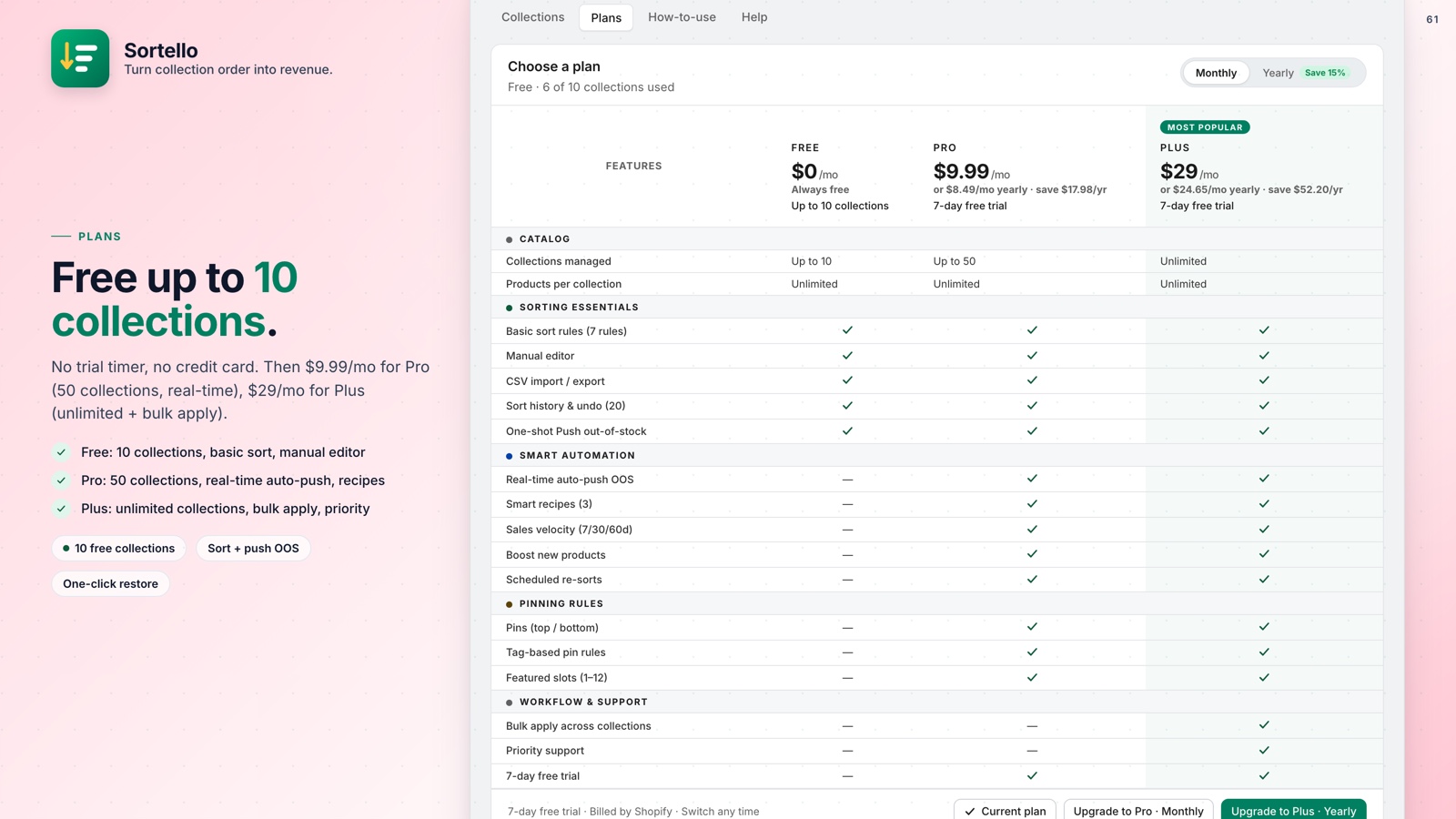
- Pro adds real-time automation and velocity-based best-seller sorting for $9.99/mo.
🔍 What to Look for in the Best Shopify Collection Sorting App
The most common complaint is that Shopify's manual sort randomly reverts to alphabetical with no warning. You save, it looks right, you come back and it has reset. The shopify collection sort not saving problem is not a settings bug you can fix. It is a feature gap that a dedicated app fills.
Beyond stability, here is what separates a useful app from a pretty-looking one:
- Sort rules beyond Shopify's built-in set, including revenue, stock level, and product age
- Real-time push of out-of-stock items to the bottom, not a one-time manual fix
- Pins to lock hero products to exact positions without touching the rest
- Scheduled re-sorts so seasonal changes and flash sales happen automatically
- Bulk apply to cover all collections at once
- No theme code required
If you want the full picture on why sort order affects revenue, this guide on how collection order affects your Shopify sales makes the case with specifics.
⚡ How Sortello Compares: Rules, Auto-Push OOS, Pins, and Scheduling
Sortello is purpose-built to take collection management off your plate. Here is what it does, feature by feature.
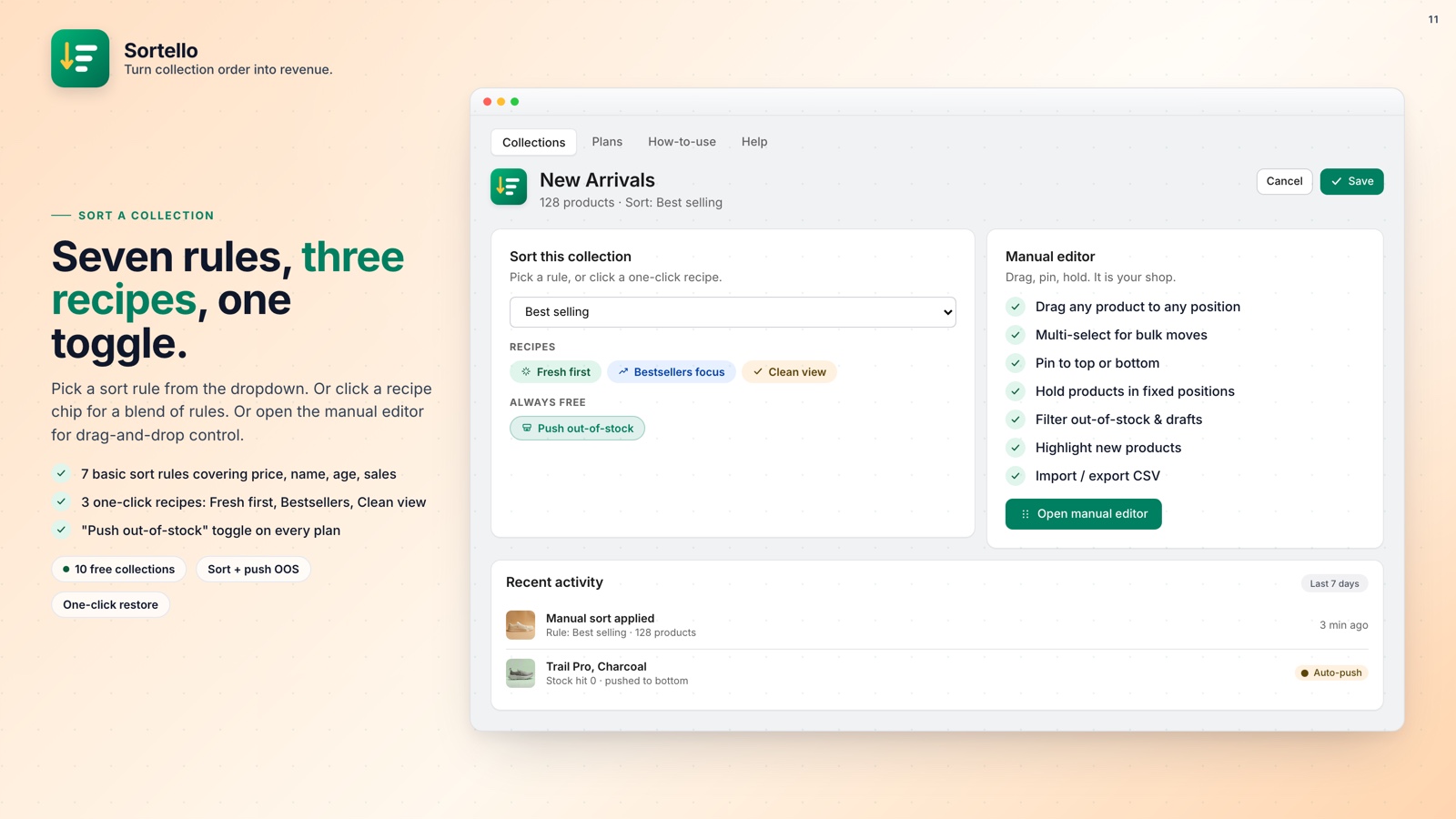
One-click sort rules. Every plan gets Shopify's seven built-in sorts (best selling, newest, oldest, name A to Z and Z to A, price low to high and high to low) plus a random shuffle. Pro adds sales-velocity, revenue, stock-level, discount and vendor sorts. Plus adds a profit-margin sort. Two recipes on Pro (Fresh first and Bestsellers focus) combine several rules into one click. See how to sort Shopify collections automatically.
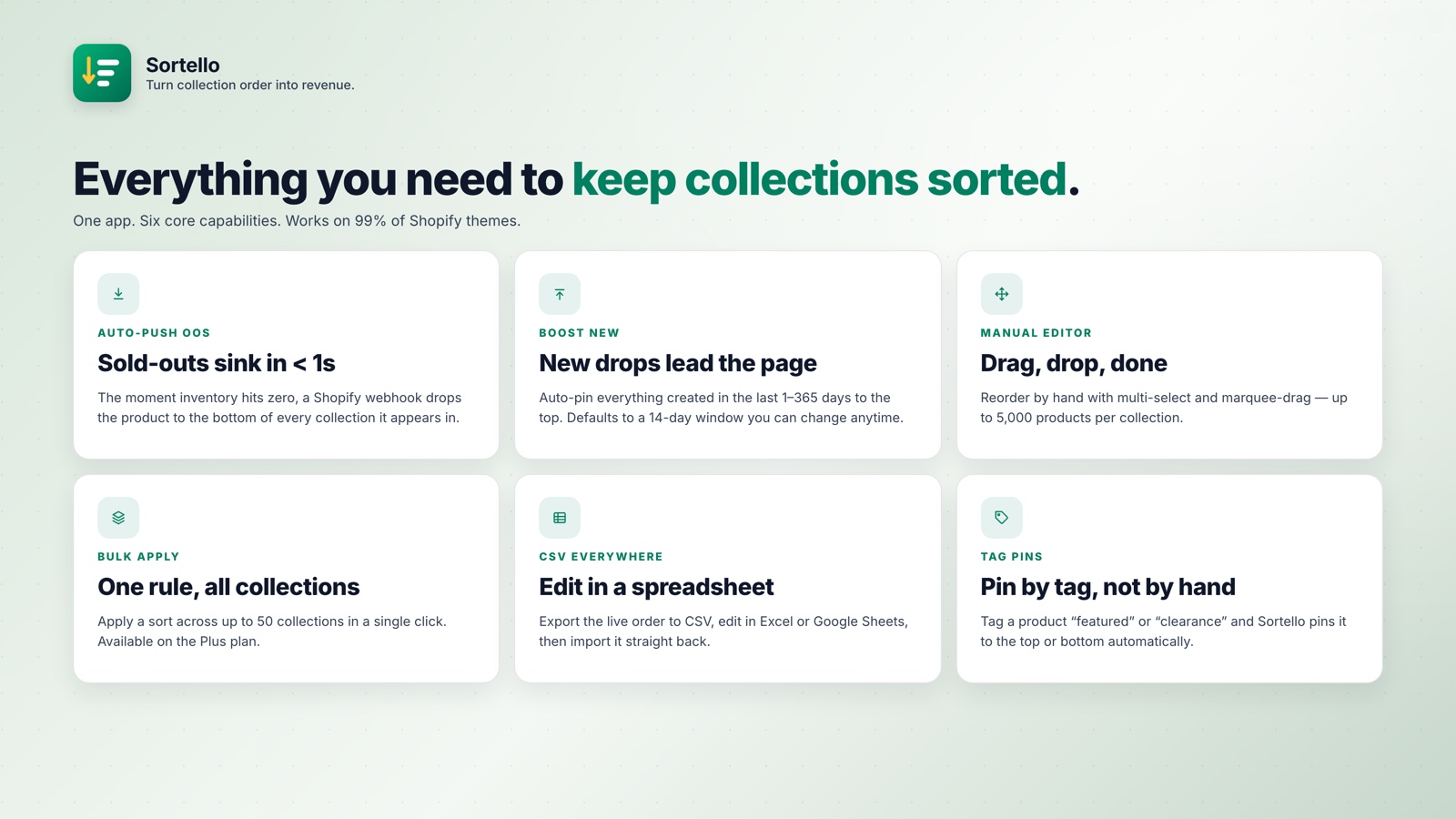
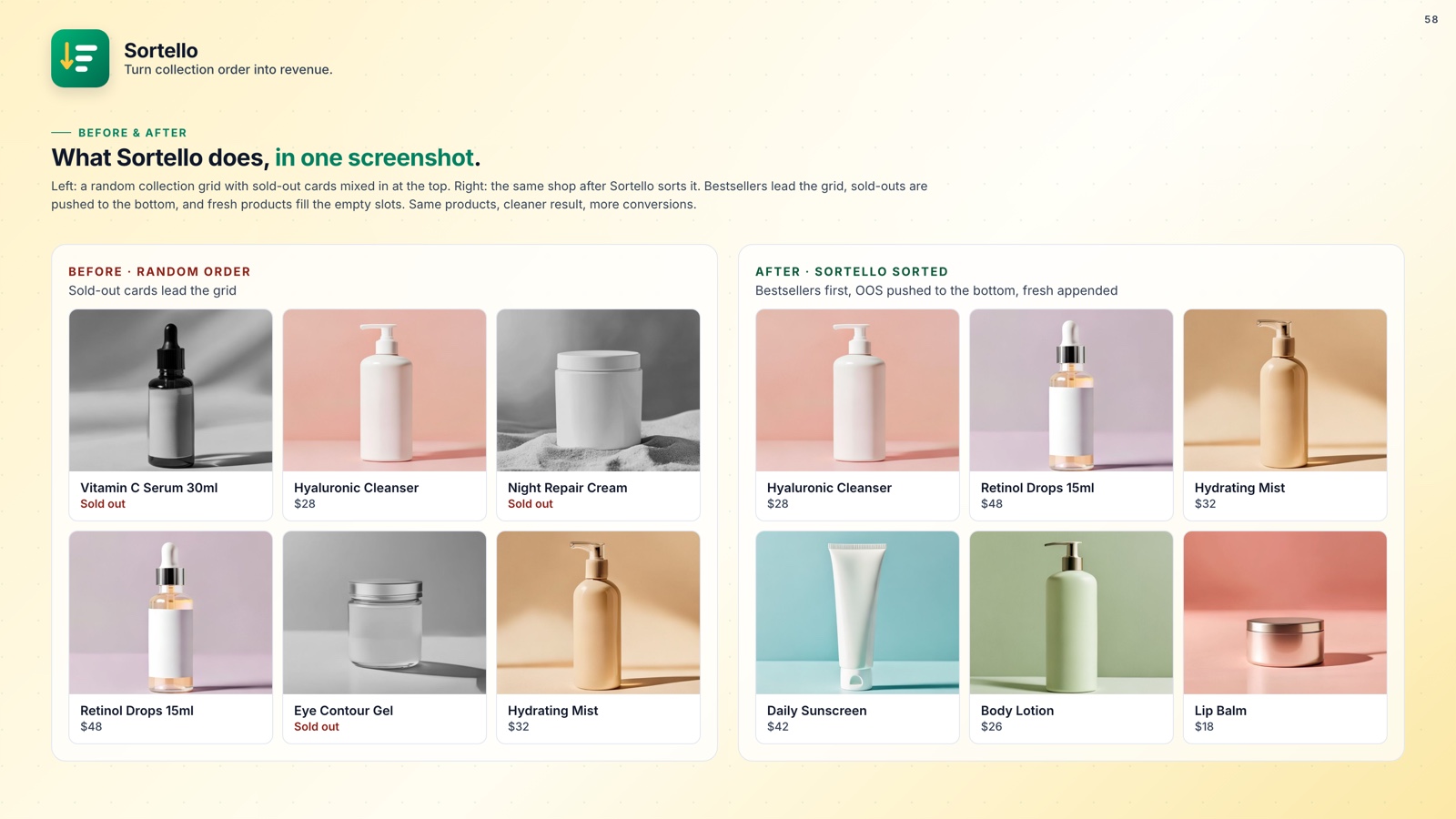
Real-time out-of-stock push (Pro). When a product hits zero inventory, it drops to the bottom within seconds. When stock returns, the collection re-sorts and the product moves back up into the order. If out-of-stock products keep showing at the top of your collection, this is what fixes it.
Featured slots and tag-based pins (Pro). Lock any product to positions 1 through 12. Or use your existing Shopify product tags to automatically pin items to the top or bottom of any collection. Great for permanent promotions you already manage with tags anyway.
Scheduled re-sorts (Pro). Set a rule to re-run automatically, from every 6 hours to weekly. Configure it before a sale and the schedule runs in the cloud.
Best-seller sort by velocity (Pro). Shopify's built-in best-seller rank uses all-time order count, which means a product from 2019 can sit on top forever. Sortello lets you sort by real sales over 7, 30, or 60 days. This is the practical effect of sorting by recent performance, which matters for trending and seasonal products.
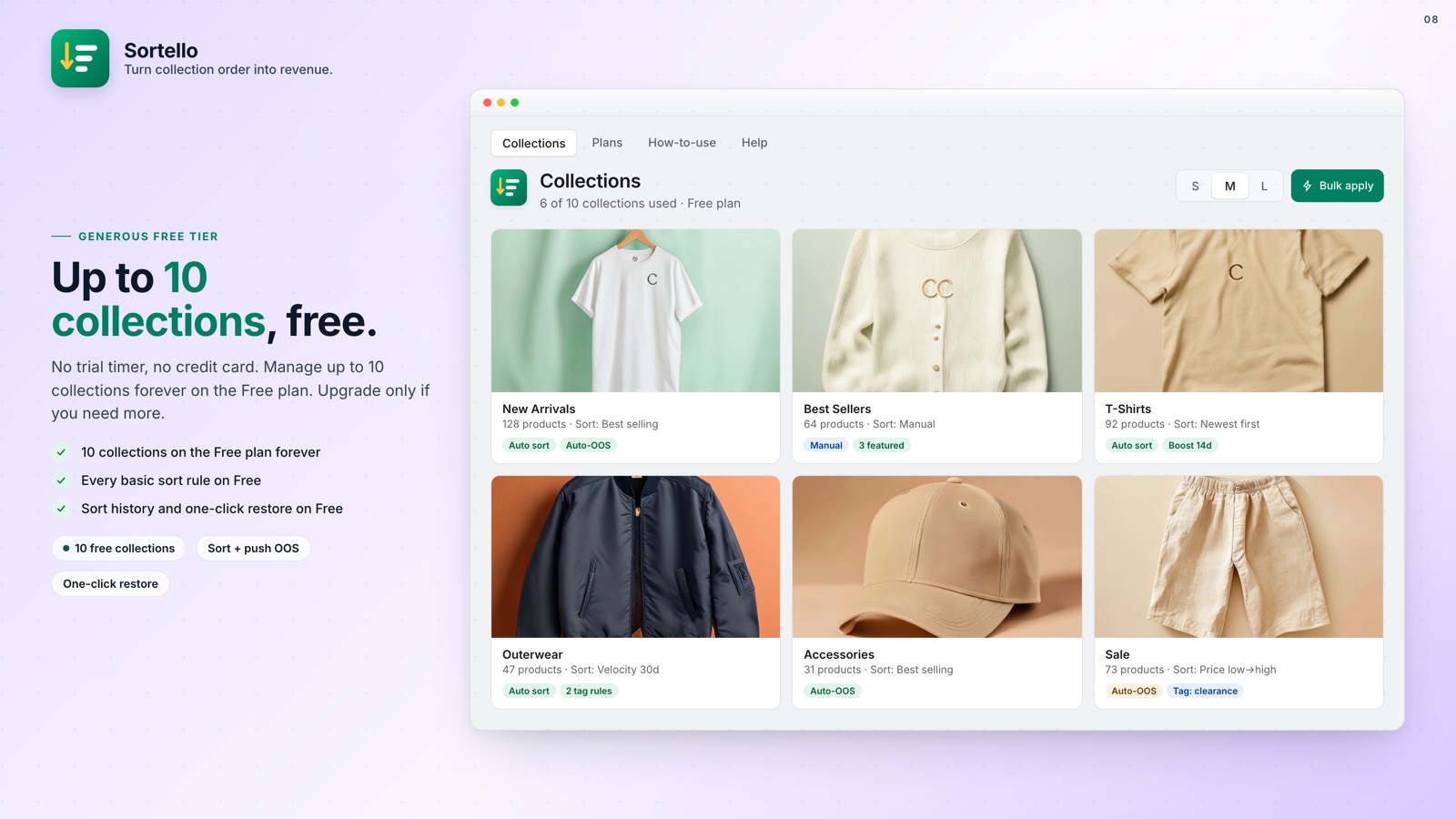
The Free plan covers up to 10 collections with the seven built-in sort rules, random shuffle, the drag-and-drop editor (up to 5,000 products), one-click out-of-stock push, and 20-version sort history.
How Sortello works
Install
One click. No theme edits. Works on any live Shopify storefront immediately.
Sort
Pick a rule, apply a recipe (Pro), or drag manually. Out-of-stock products can drop to the bottom automatically.
Schedule
Set re-sorts to run on their own. Pin hero products. The schedule then runs automatically.
Undo
Roll back any sort in one click using up to 20 saved snapshots per collection.

Improve collection order and product visibility.
Sortello puts the right products in front of shoppers automatically, on every collection page, all day long.
| Capability | Manual (Shopify) | Other apps | Sortello |
|---|---|---|---|
| Sort by revenue / recent velocity | No | Some | Yes, 7/30/60 days (Pro) |
| Sort products by price (collection page) | Yes | Yes | Yes |
| Auto-push OOS to bottom in real time | No | Some | Yes (Pro) |
| Auto-restore when restocked | No | Rarely | Yes (Pro) |
| Pin products to exact positions | No | Some | Yes (Pro) |
| Scheduled automatic re-sorts | No | Some | Yes (Pro) |
| Sort history with one-click undo | No | Rarely | Yes (20 snapshots) |
| Bulk apply across all collections | No | Rarely | Yes (Plus) |
| No theme code needed | Yes | Most | Yes |
🚀 Why Every Store Should Fix This
The collection page is usually where a visitor starts browsing. If position one is a sold-out item or a product from three years ago, more of them leave.
Manual sorting can work for a small collection but gets impractical as the catalog grows. Pro is $9.99 a month and keeps your best products in front of shoppers automatically.
💡 Pro tip: Use auto-pin new products (Pro) to keep newly added items at the top for 7 to 14 days, then let the sales-velocity sort take over automatically.
The Free plan has no time limit: 10 collections, the built-in rules, and sort history. Upgrade when the automation is worth it.