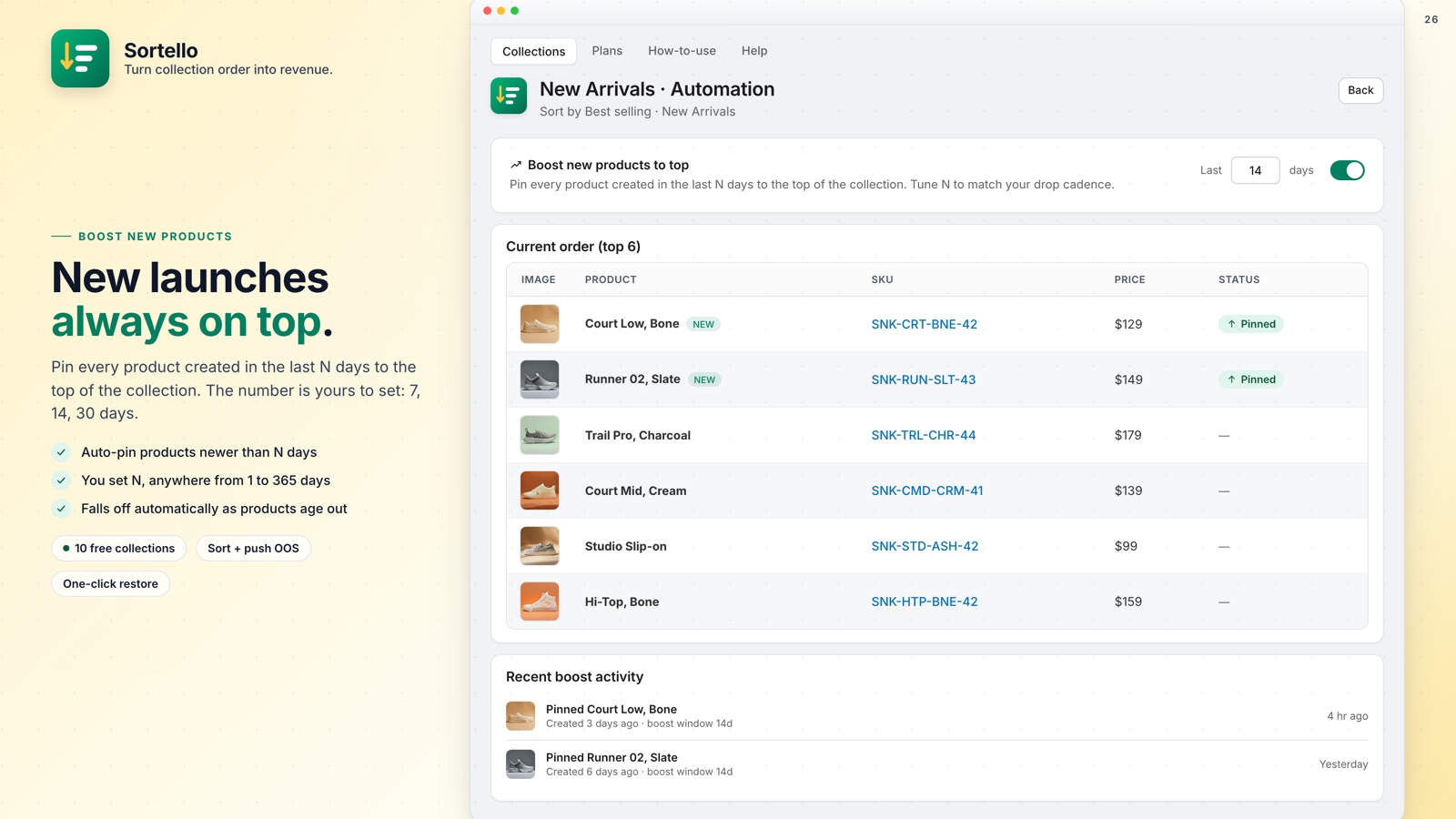
Shopify's default sort order can revert to alphabetical after a catalog update. You drag a product to the top, save, refresh, and it is back in position 47. To keep a collection ordered the way you want, you need a set sort rule and a schedule that re-applies it.
🎯 Quick Summary
- Shopify has seven built-in sort options for a collection and no way to automate them.
- Sortello adds one-click rules for sales velocity, revenue, stock level, discount and vendor (Pro), plus a random shuffle on every plan.
- Two smart recipes combine rules into one click: Fresh first and Bestsellers focus (Pro).
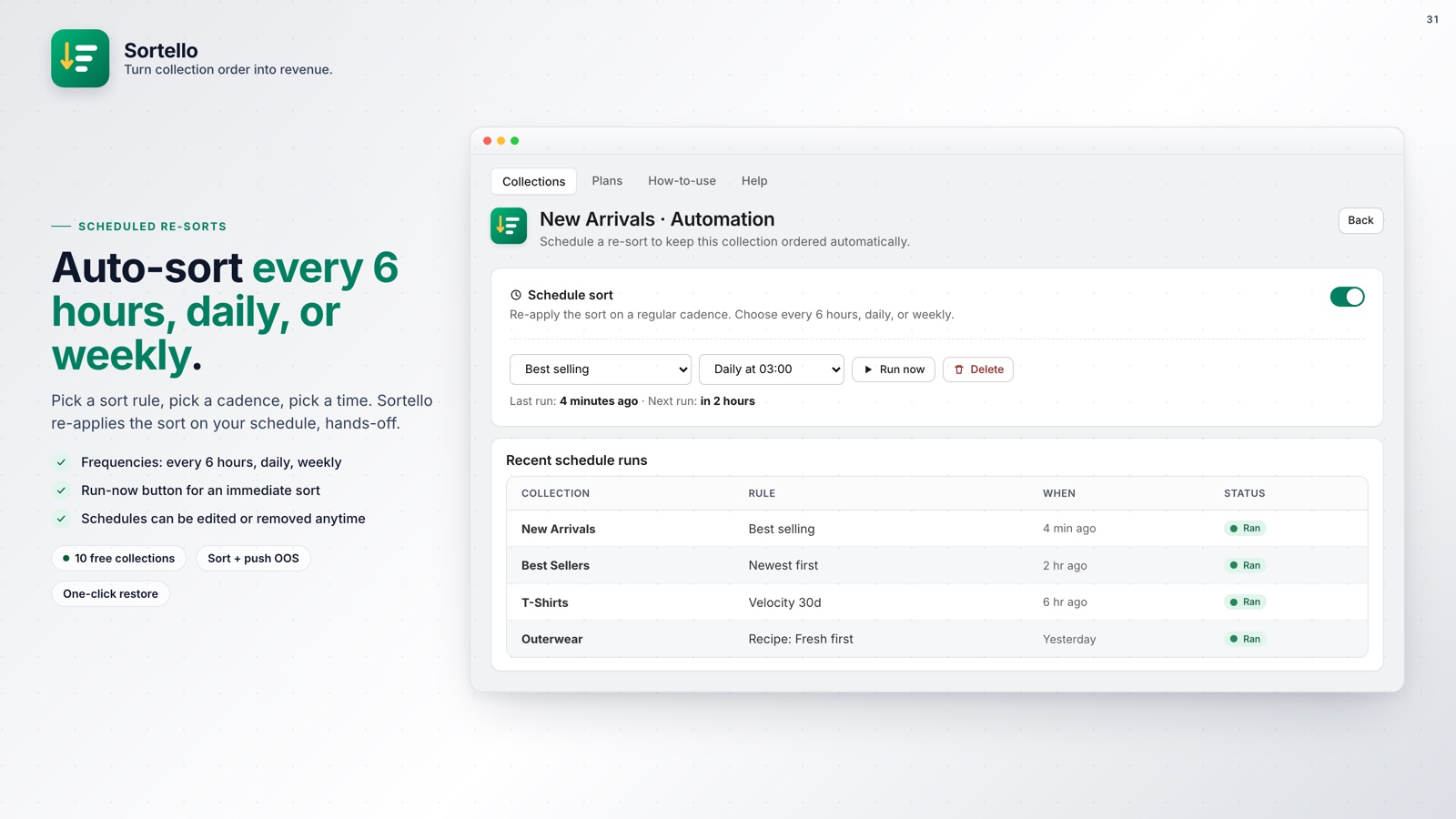
- Scheduled re-sorts keep collections current automatically, from every 6 hours to weekly (Pro). The Free plan covers up to 10 collections.
⚡ One-Click Sort Rules (And Why Shopify's Built-In Ones Fall Short)
Shopify gives you native sort options but no automation. You pick one, and it stays until something resets it. A shopper who sees a sold-out product first, or a weak product where your best seller should be, is more likely to leave without browsing further. Collection order affects your conversion rate.
There is also no native way to push out-of-stock products to the bottom of a collection automatically. Sold-out items sit next to your best stock until you move them by hand.
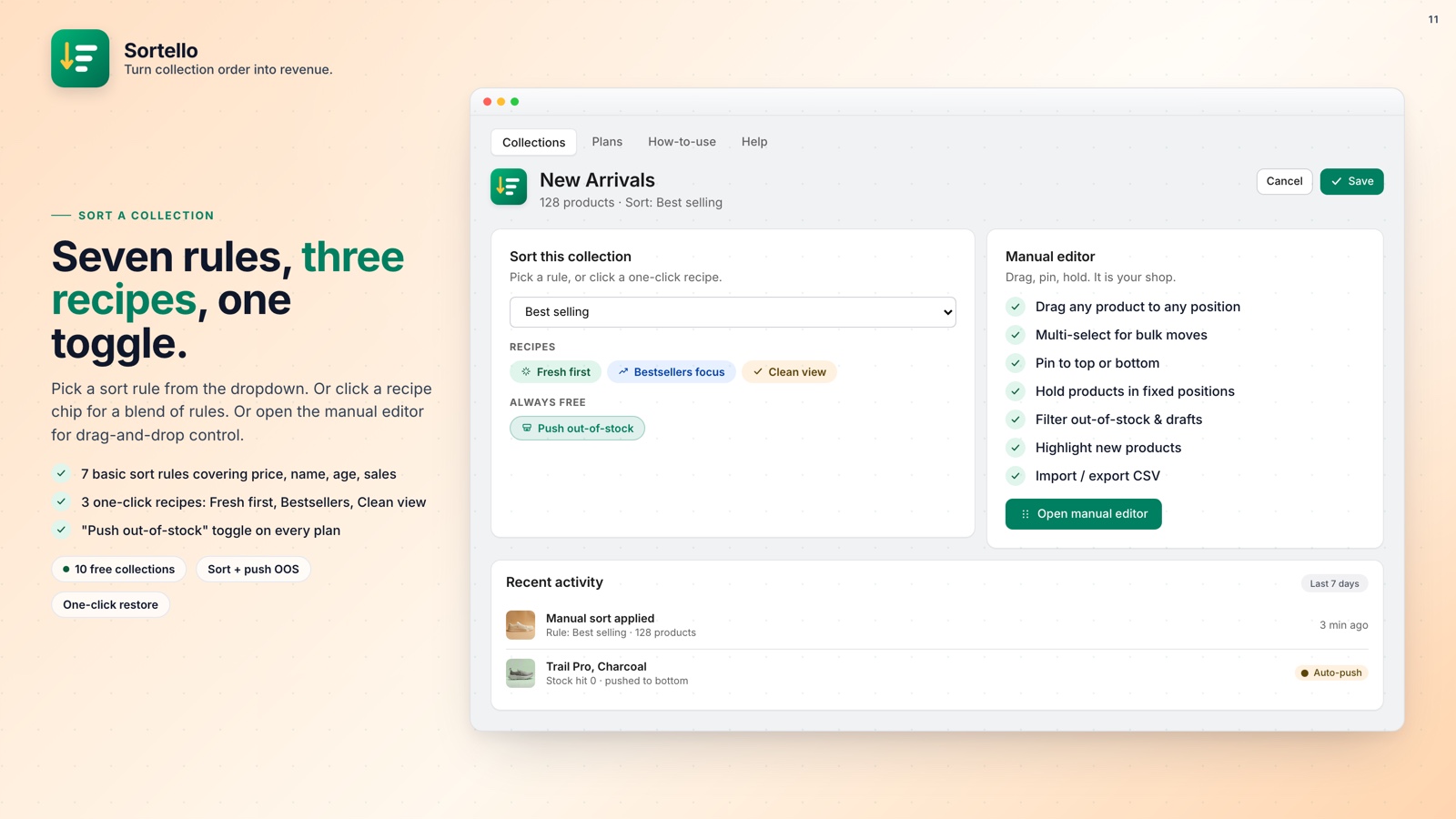
On every plan, including Free, you get one-click access to Shopify's built-in sort keys:
- Best selling (Shopify's all-time order count)
- Newest first, or oldest first
- Name A to Z, or Z to A
- Price low to high, or high to low
- Random shuffle
Pro adds rules Shopify does not have:
- Best sellers by sales velocity over the last 7, 30, or 60 days
- Most revenue over the last 7, 30, or 60 days
- Stock level
- Biggest discount
- Group by vendor
Plus adds a profit-margin sort that uses each product's cost per item from Shopify. Pick a rule, apply, and Sortello publishes the order to your storefront. No theme edits, no developer.
To keep it current, Pro re-runs any rule on a schedule, from every 6 hours to weekly. The collection updates in the cloud whether or not the app is open.
🍳 Two Smart Sort Recipes (One Click, Several Rules)
A recipe combines several rules into one preset. Sortello has two, both on the Pro plan.
Fresh first. Newest in-stock products on top, then older in-stock products, then anything out of stock. Built for stores with a steady stream of new arrivals.
Bestsellers focus. Shopify's best-selling order, with in-stock products first and sold-out products pushed to the bottom.
For a sale, the tool is featured slots (Pro): lock up to 12 products to exact storefront positions 1 through 12, and let the rest sort by any rule. To run a sort change automatically at a set time, see how to schedule automatic collection re-sorts on Shopify.
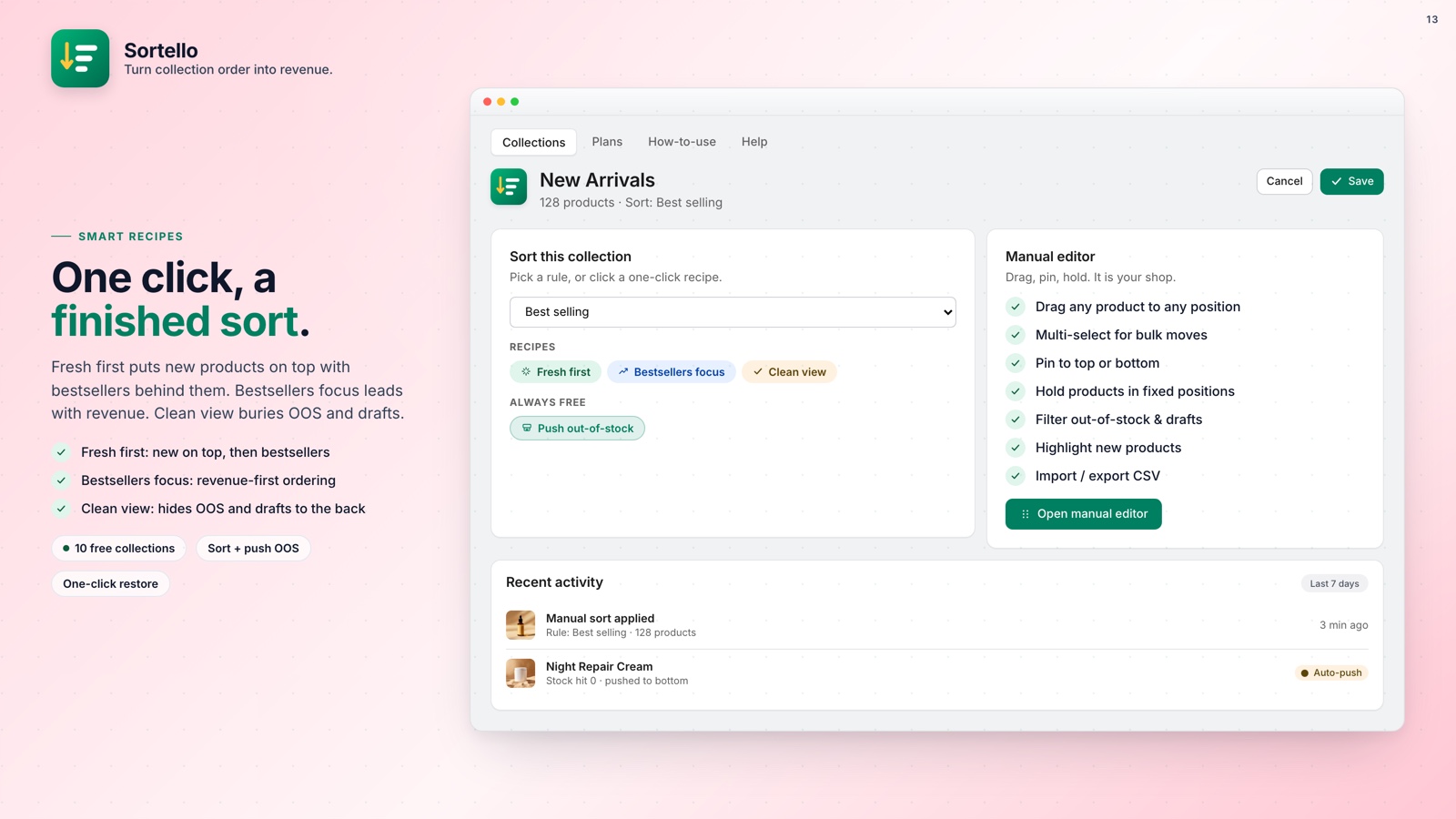
On Pro, when a sold-out product is back in stock, the collection re-sorts so it returns to its normal place in the order.

Sort once. Stay sorted.
Sortello automates your Shopify collection order with one-click rules, two recipes, and scheduled re-sorts. Free plan available, no theme code.
What else Sortello includes:
- Real-time push of out-of-stock products to the bottom, with automatic restore on restock (Pro)
- Best-seller sort by sales velocity over the last 7, 30, or 60 days (Pro)
- Random shuffle on every plan; group-by-vendor on Pro
- Featured slots that lock products to storefront positions 1 through 12 (Pro)
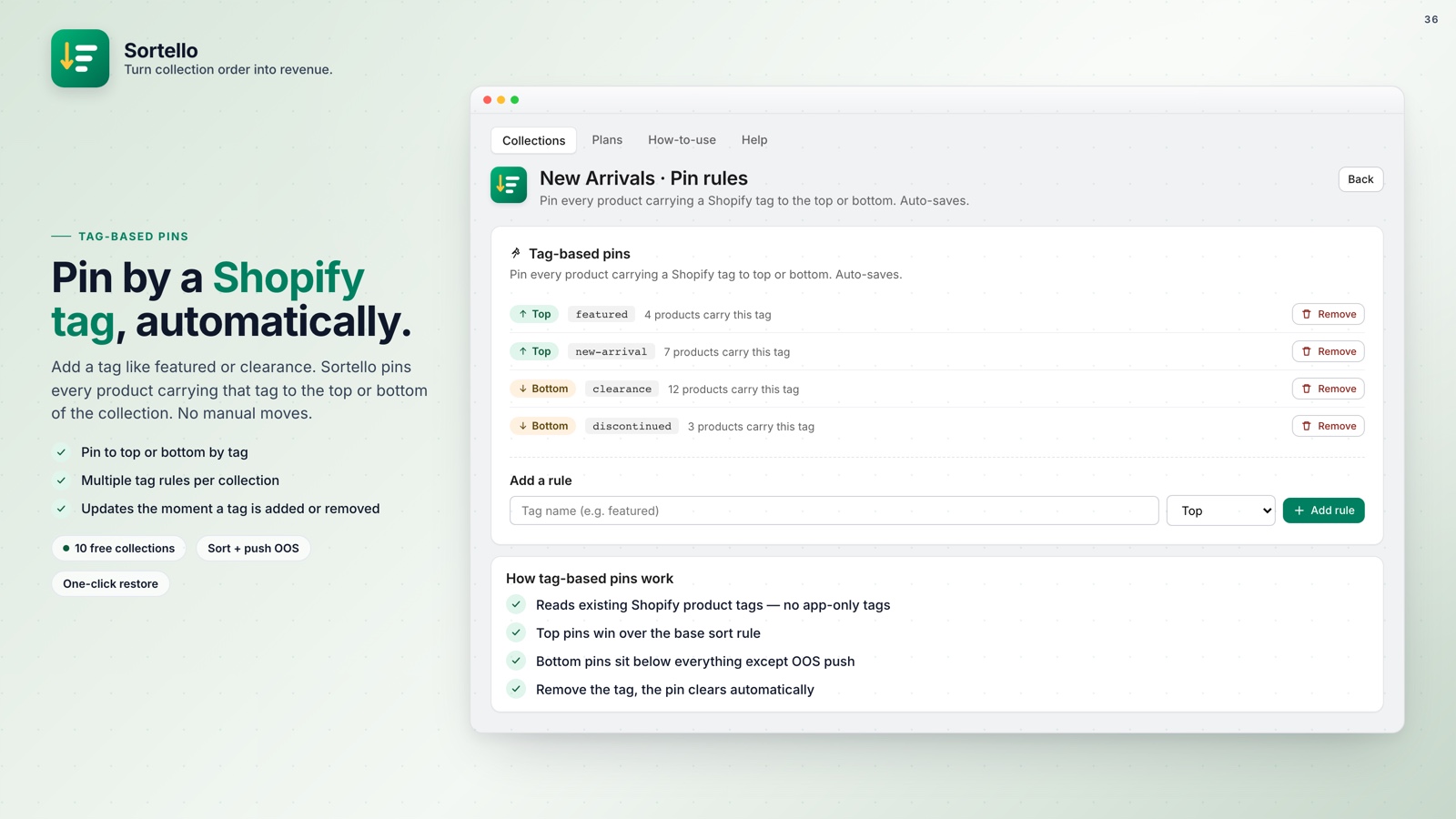
- Tag-based pins that move products automatically using your existing Shopify tags (Pro)
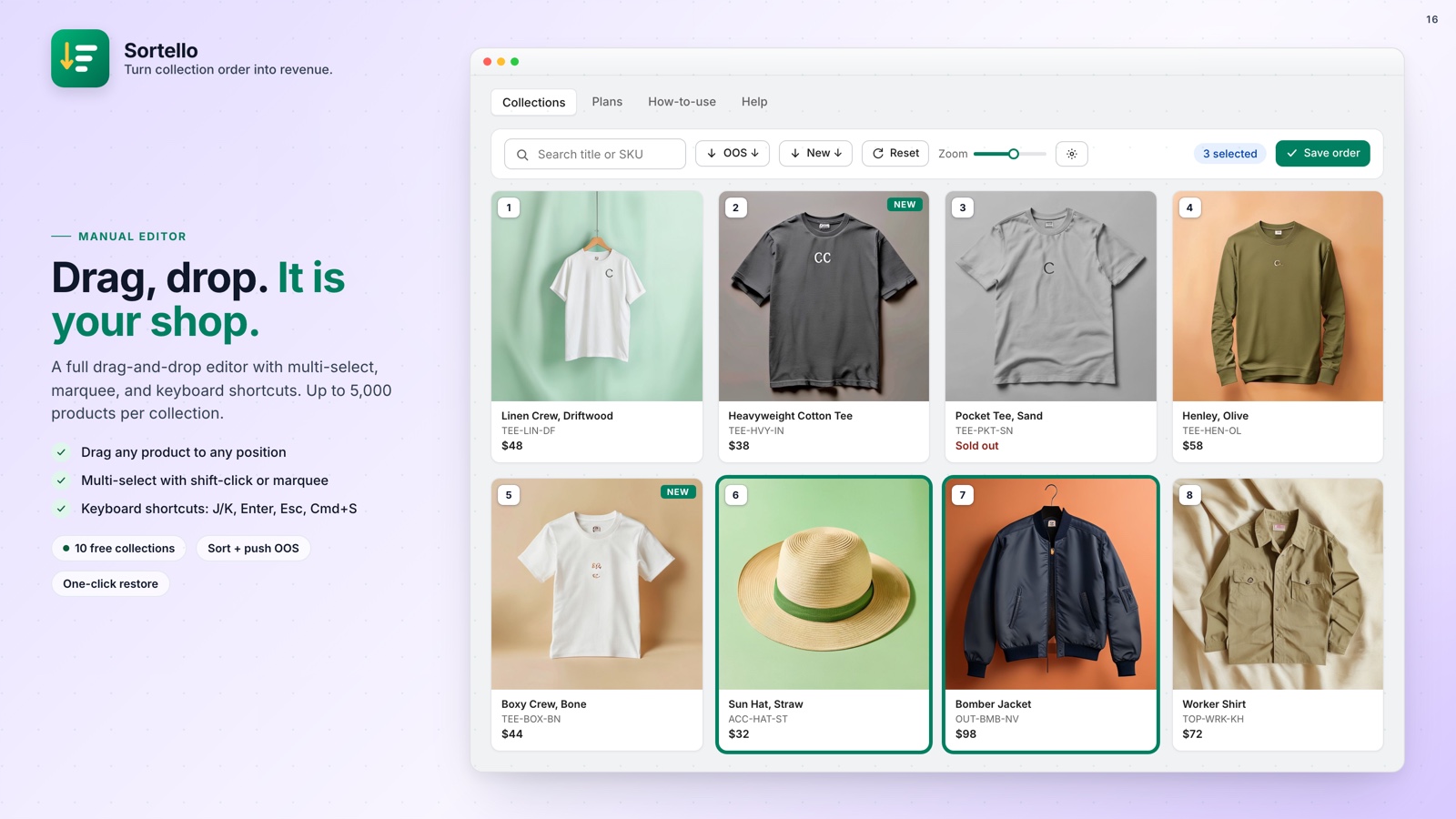
- Drag-and-drop manual editor with multi-select, up to 5,000 products per collection (all plans)
- Sort history: the last 20 versions of each collection, one-click undo (all plans)
- CSV import and export of your product order (Pro)
- Bulk apply: one sort rule across all collections at once (Plus)
🚀 Why This Matters
Collection sort order affects conversions, and many stores set it once and never return to it.
Sortello's Free plan covers 10 collections with the manual editor, built-in sorts, random shuffle, one-shot out-of-stock push, and sort history. Pro is $9.99 a month and adds real-time automation, velocity and revenue sorts, and scheduled re-sorts. Plus is $29 a month for unlimited collections and bulk apply. Paid plans include a 7-day free trial.
For the out-of-stock side specifically, see how to stop out-of-stock products from showing at the top of a Shopify collection.