You have a hero product: high conversion, good margin. But it sits on page 3 of its collection because of its upload date and a "manual" sort order that gets harder to manage as the catalog grows. Pinning a specific product to the top of a collection sounds basic, but Shopify has no native way to do it. This post covers how.
🎯 Quick Summary
- Tag products in Shopify admin and Sortello automatically pins them to the top or bottom of any collection.
- Featured slots lock specific products to exact storefront positions 1 to 12, permanently.
- The rest of the collection still auto-sorts by sales, price, or any rule you choose.
- Both features are on Sortello's Pro plan at $9.99/mo, with a 7-day free trial.
🏷️ Pin Products to the Top of a Collection Using Tags
Shopify's manual sort can revert to alphabetical without warning after a catalog change, moving your hero product down the page. The first few products on a collection page collect most of the clicks, and where a product appears affects whether it sells. Dragging it back to the top every time is not a workflow.
A better approach is a tag rule. Add a tag of your choice to a product in Shopify admin (for example featured), then tell Sortello to pin anything carrying that tag to the top of the collection. Set up another tag for the bottom to park clearance items. Sortello applies the rule on every sort.
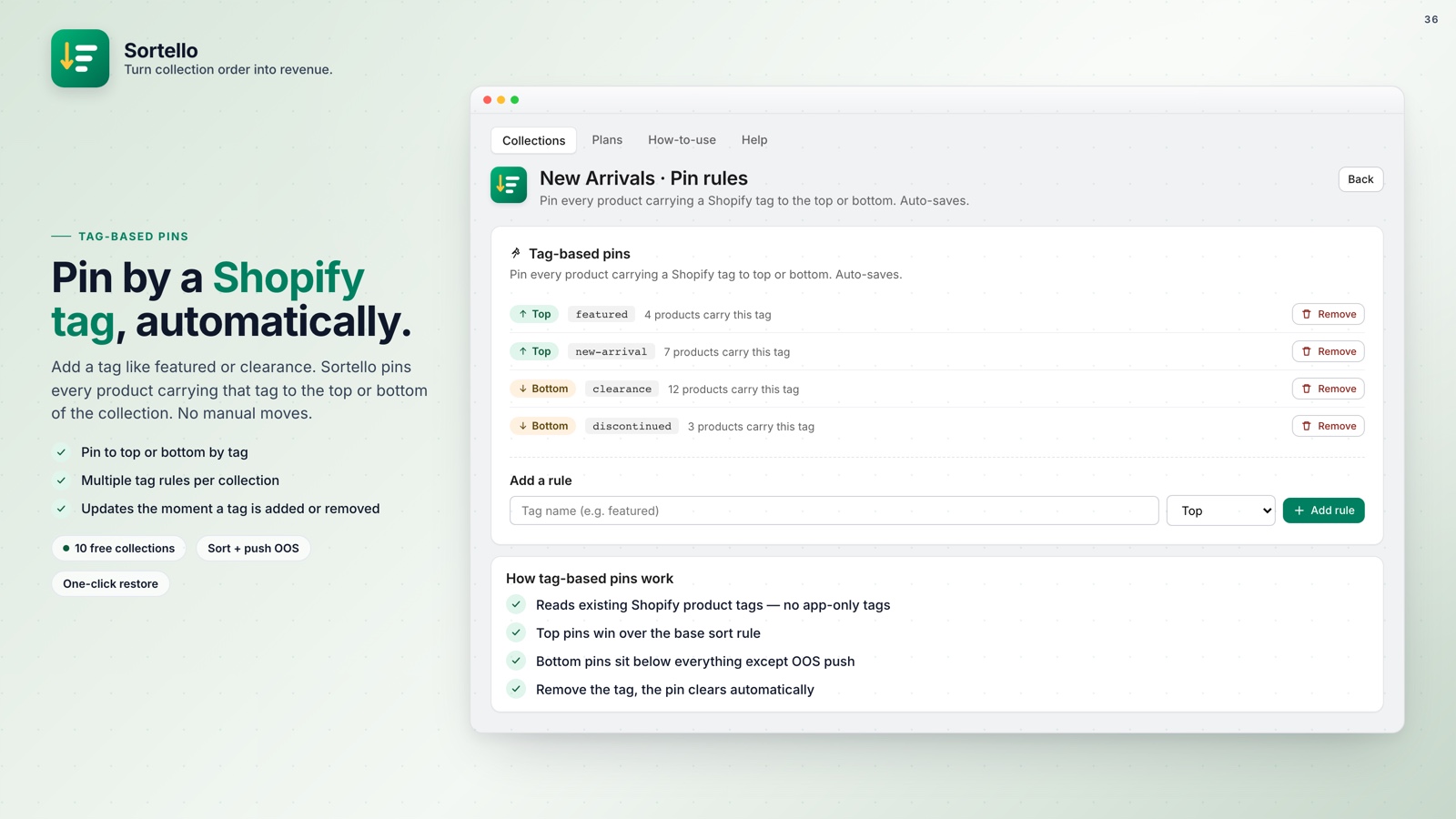
The tags live in your Shopify admin already. Change a product's tag and its pin follows, across every collection it belongs to. It is more consistent than manual drag-and-drop. Tag pins are a Pro feature.
📌 Lock Bestsellers to Exact Storefront Positions (1 to 12)
Tag pins are great for "put this at the top." But what if you need something more precise? Your new collab in slot 1, your top seller in slot 2, a high-margin bundle in slot 3. Shopify has no native feature for this.
Stacking drag-and-drop moves for this does not hold: positions shift after a catalog update.
Sortello's featured slots (Pro) let you assign up to 12 products to exact positions. You add a product to each slot by its SKU: your launch item in slot 1, your bestseller in slot 2. Sortello holds those positions through scheduled re-sorts and bulk operations.
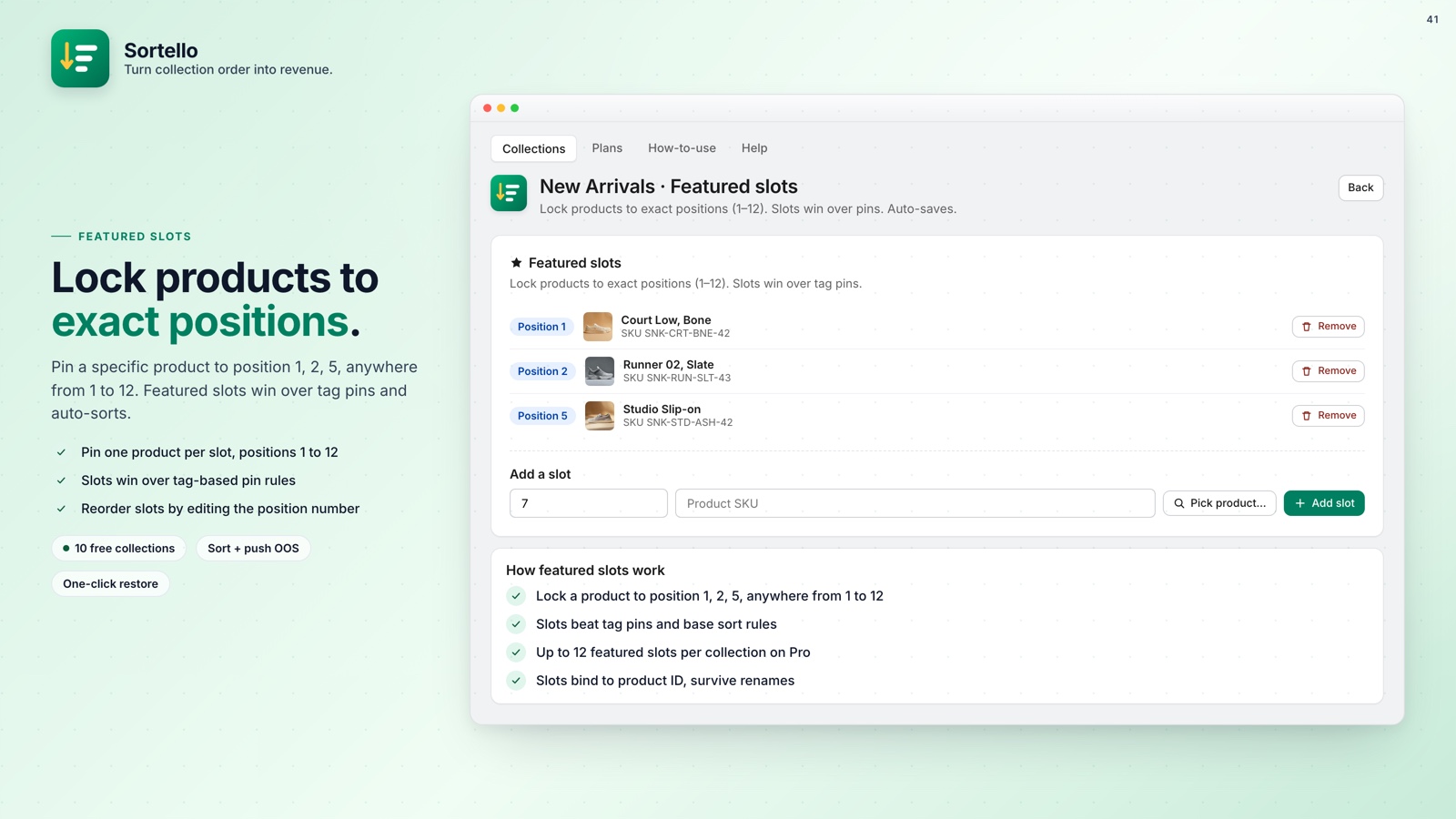
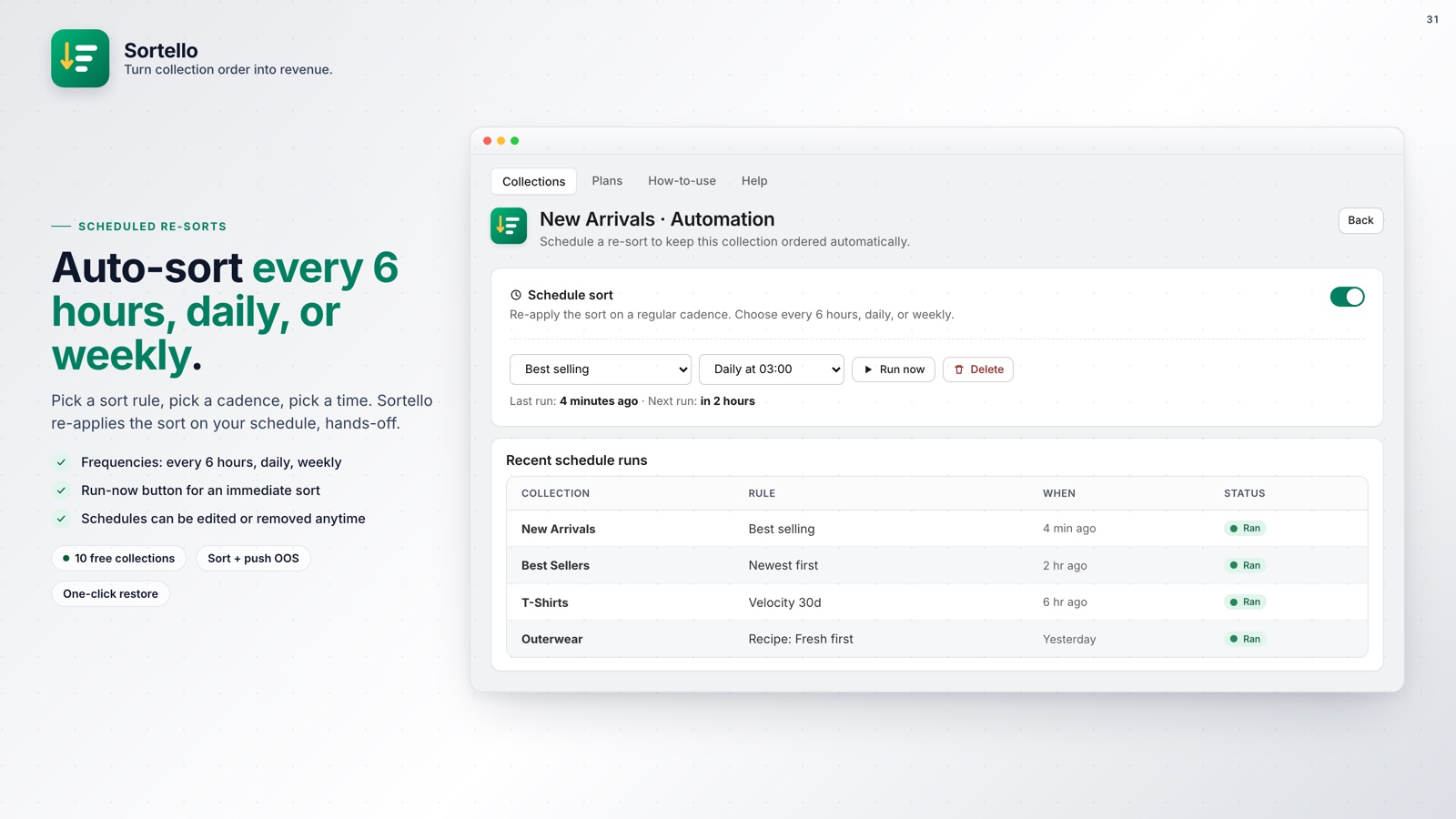
The remaining products in the collection auto-sort however you want. Best selling by real 30-day velocity, newest arrivals, lowest price first. The featured slots are simply exempt from all of that. They sit where you put them.
It works like a fixed front-of-store display that later re-sorts do not touch.
💡 Pro tip: Combine featured slots with automatic re-sorts on a schedule so your pinned heroes stay visible while the rest of the collection ranks itself by real sales data.

Stop Manually Monitoring Your Collection Order
Sortello pins products by tag, locks exact storefront positions, and keeps everything else sorted automatically. Set it once and move on.
Everything you get, at a glance:
- Tag pins work across every collection the product belongs to, with no extra setup.
- Featured slots survive every scheduled re-sort and bulk sort operation.
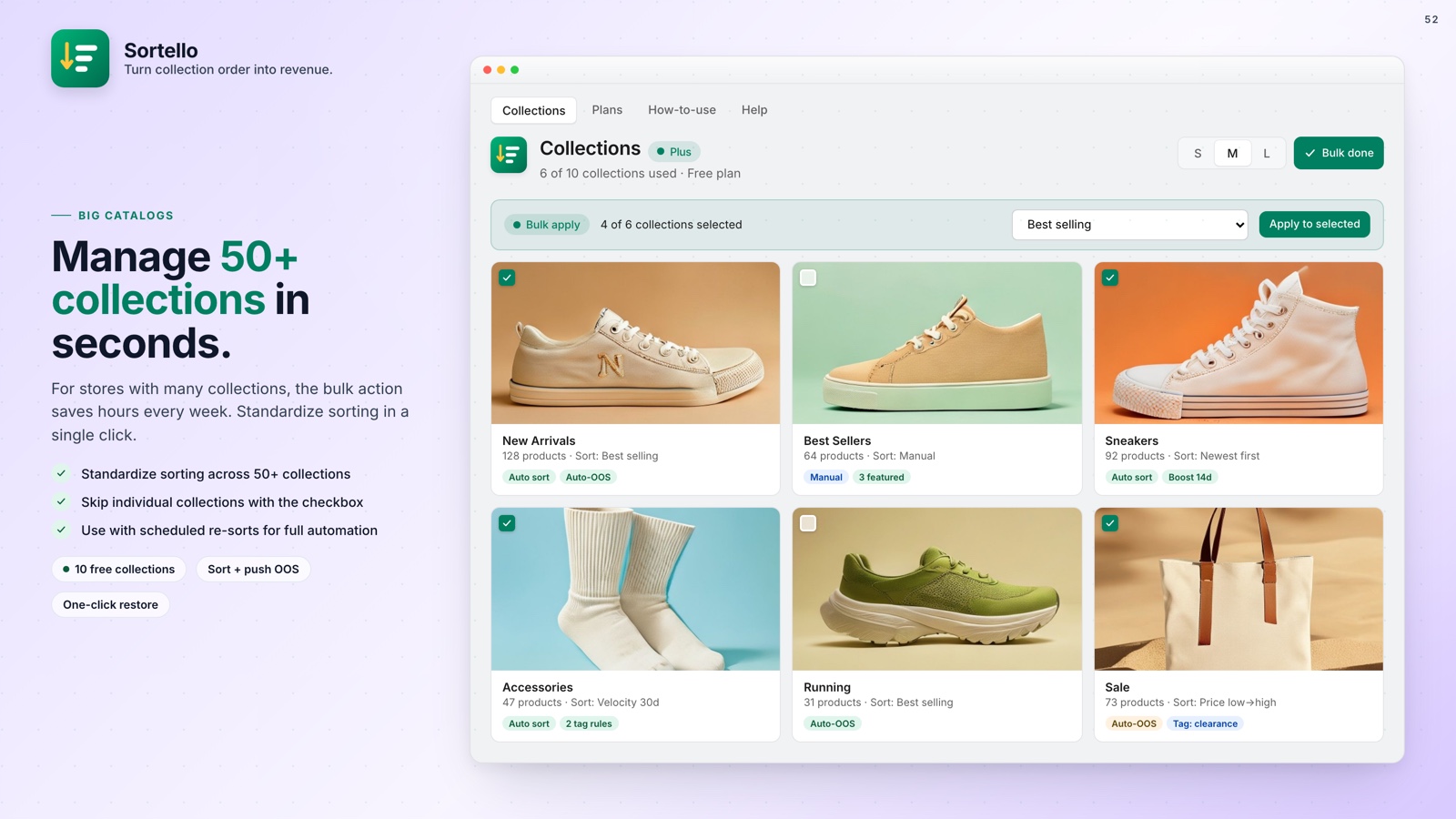
- Combine pins with auto-sort rules so the rest of the collection still ranks by sales or price.
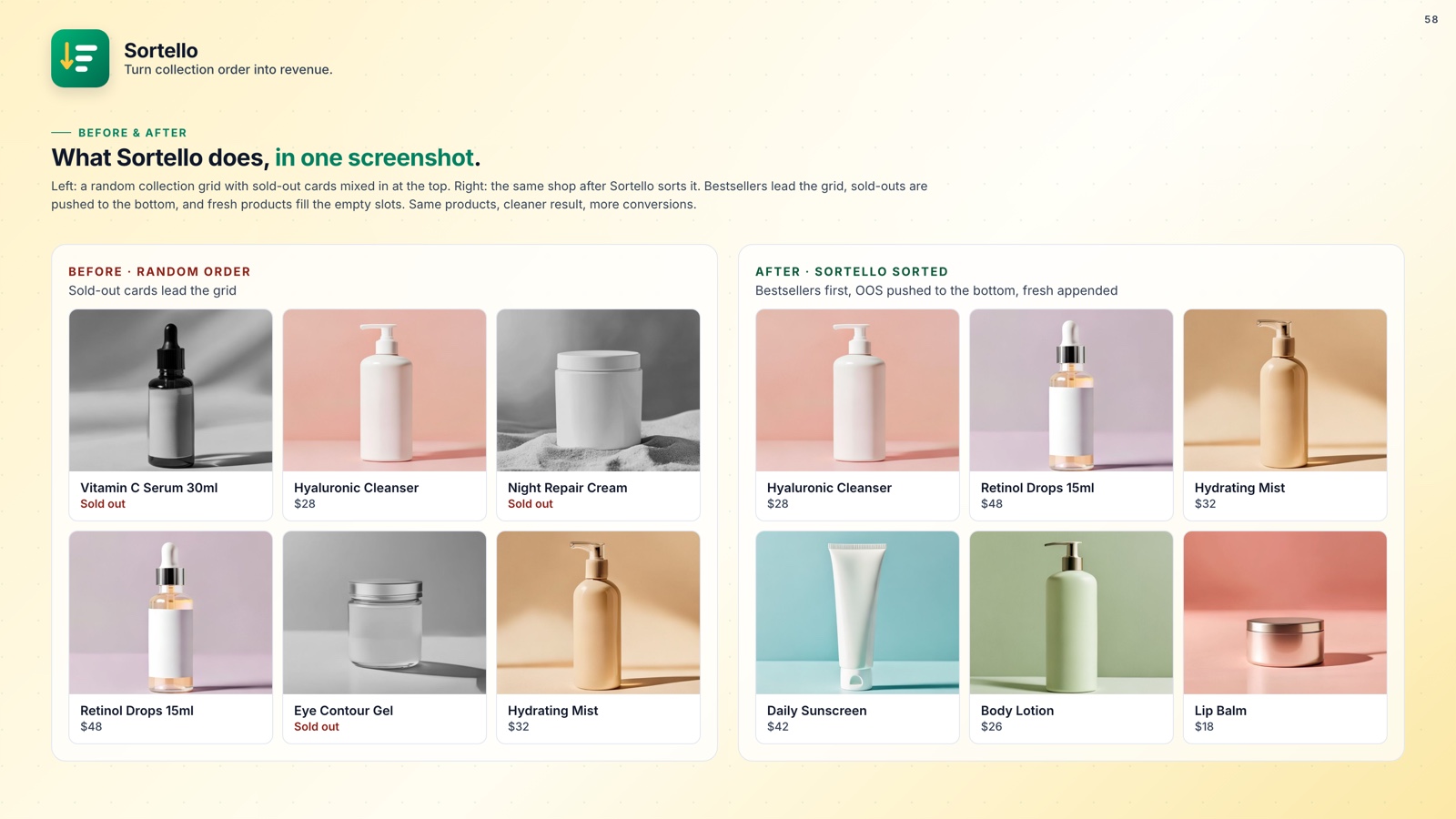
- Out-of-stock products still auto-push to the bottom even with pins active (Pro).
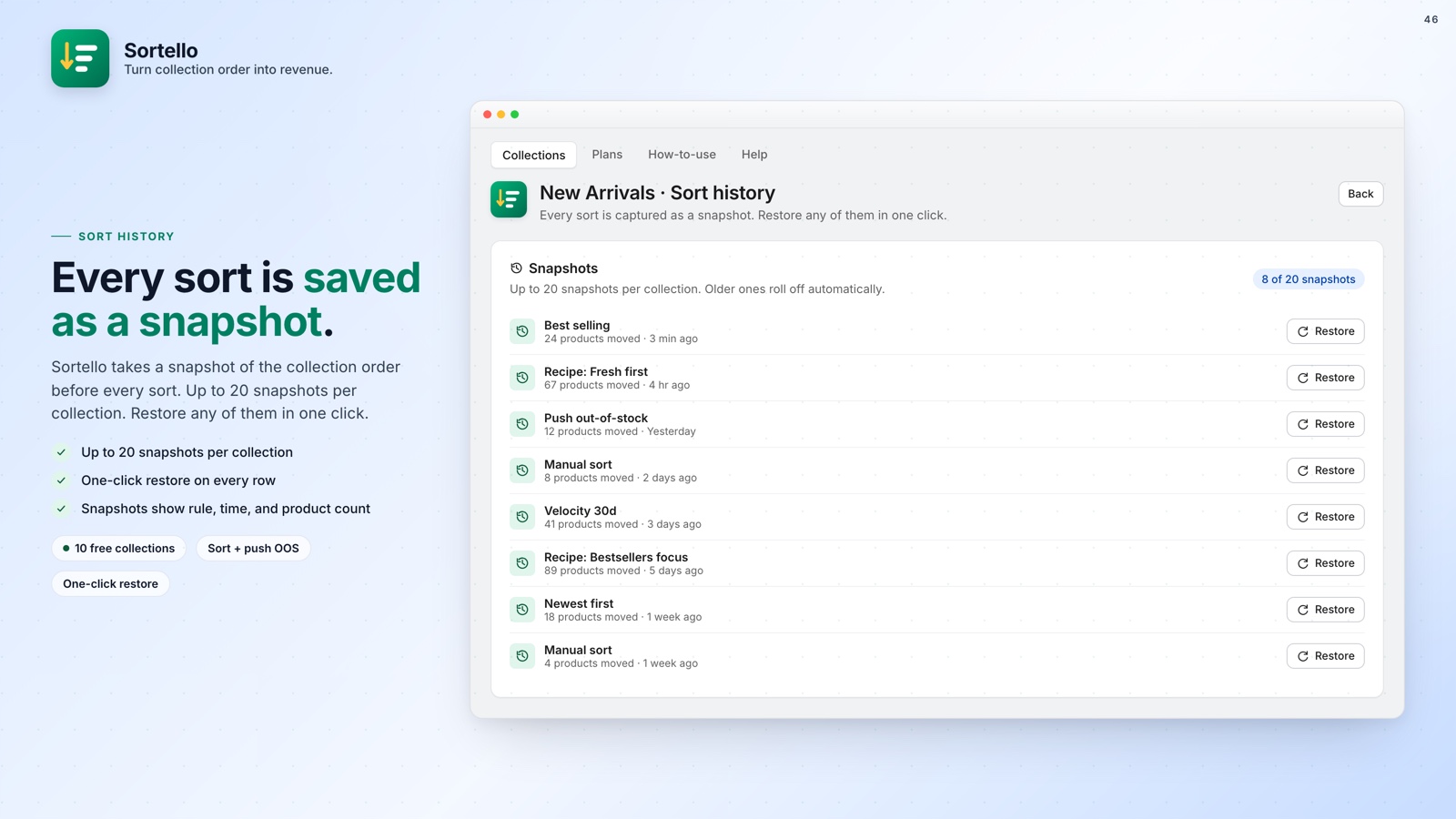
- Sort history keeps the last 20 versions of each collection, so a mistake is undone in one click (all plans).
- No theme code required. Changes apply directly to the live storefront.
🚀 Why Every Store Should Fix This
Shopify's default sort puts older products on top by accident of upload date. Its best-selling sort uses all-time order count, so a product with one strong month in 2021 outranks everything added last quarter. Smart (automatic) collections do not support manual order at all.
Pinning a handful of high-converting products to the top is one of the fastest merchandising changes you can make: no ads, no redesign.
Whether you use tag-based pins for flexibility or featured slots for precise placement, the result is a collection page that works the way you intended, not the way Shopify decided by accident.